
brew upgrade pad
# or
docker pull ghcr.io/perpetualsoftware/pad:0.4.1
Pad v0.4 ships two shifts you can feel the moment you open the app.
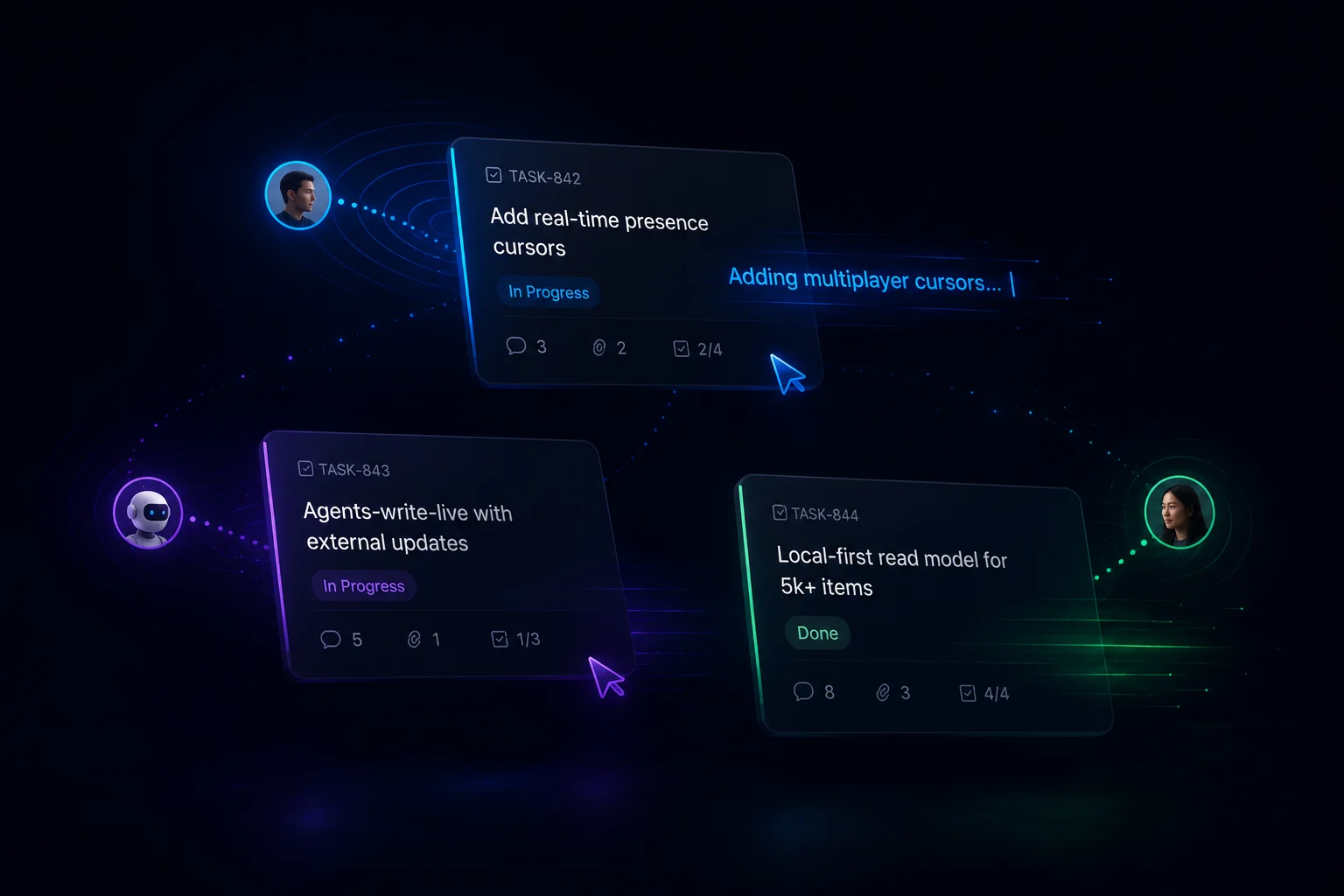
The first is real-time collaborative editing — multi-user typing, presence cursors, and your AI agent editing alongside you in the same document. The second is a local-first read model that makes 5,000-item collection pages feel instant, with sub-millisecond search.
Both shipped in the same single Go binary you already self-host. No new dependencies. No separate sync server. No Redis.
Real-time collab without a Yjs Go port
The collab implementation uses Yjs + Tiptap on the client. The server is a pure dumb relay over gorilla/websocket — it doesn’t parse Yjs internals. It stores opaque binary updates in an op-log, broadcasts them between connected clients, and lets the browser tabs do the CRDT work.
That single design choice is what lets Pad stay a single Go binary. No Yjs Go port to vendor. No separate sync-server process to run. The op-log lives in the same SQLite or Postgres as everything else.
ws://pad/api/v1/collab/{itemID}
   ├─ schema-version handshake (mismatch → rebuild Y.Doc from markdown)
   ├─ presence cursors with deterministic per-user colors
   ├─ op-log replay on connect, broadcast on update
   ├─ 5s-idle + on-disconnect markdown flush back to items.content
   └─ membership revalidation every 60s
Markdown stays canonical. items.content is still the source of truth for search, exports, share pages, MCP, and version diffs. The Y.Doc is the live representation while editors are connected; on idle or disconnect, it flushes back to markdown. If the schema version changes on a Tiptap upgrade, the op-log is rebuilt from items.content on next connect — no migration step, no lost edits.
Agents-write-live
The detail we care most about: your AI agent and you can edit the same document at the same time.
When PATCH /workspaces/{ws}/items/{slug} arrives with new content from the CLI, the MCP server, or any external writer, Pad checks whether a live room exists for that item:
- No room? Direct write to
items.content. Status quo. - Live room? Pad broadcasts
content_replaced_externallyto the room, designates the longest-connected client as the applier, and that browser tab translates the new markdown into Y.Doc ops viaeditor.commands.setContent(...). Peers see the change like any other edit. The browser tab is the markdown↔Y.Doc bridge the server doesn’t have.
Field-only updates (status, priority, role, assignee) still flow through SSE unchanged — they don’t touch the editor.
This was the load-bearing decision for the whole feature: most editors that bolt on Yjs treat “agent shells out to the CLI” and “human typing in the browser” as different worlds. We didn’t.
Local-first read model
Collection pages used to fetch every item on every open. For a workspace with hundreds or thousands of items, that’s the same payload over and over again, every navigation, every tab. Now they don’t.
Three pieces moved at once:
- A skinny
/items/indexendpoint that returns every item’s fields without the content body. Cheap to serve, cheap to cache. - An IndexedDB-persisted
localIndexper workspace — a Svelte 5 rune store backed by IDB. Warm tabs paint from local cache before any network round-trip. - A workspace-scoped monotonic
seqcursor +/items-changes?since=<seq>delta endpoint. The client knows where it left off and pulls only what changed.
A leader-elected SSE connection via navigator.locks + BroadcastChannel means one tab does the network work for the whole browser, then fans out updates over a BroadcastChannel to siblings. Open ten Pad tabs; you get one SSE connection.
List, board, and table views virtualize via CSS content-visibility. Search is a MiniSearch index over titles + parsed fields — typing is sub-millisecond in the command palette and on collection pages. Content-body grep falls back to server search.
Net effect: a 5,000-item collection paints from cache in under 500ms. Search is instant. Pagination as a UX concept just… disappears.
What else shipped in v0.4
HTML blocks in the editor. A first-class sanitized rich-content island — fenced ```html on disk, live HTML in WYSIWYG, raw HTML in source view. DOMPurify with an iframe-host allowlist applied at every render path (editor, share page, RSS, email). Slash menu, toolbar, and markdown-shortcut insert it; diff view collapses each block as a single semantic unit.
Loading & error UX for item content. Generic ContentSkeleton + ContentError primitives. Stuck on connecting for ten seconds? You see a retry button instead of a blank editor. Mid-session reconnects don’t re-show the skeleton (the Y.Doc still has content); only a true offline state does.
Browser-based first-run setup. pad auth setup and pad init now print a http://localhost:7777/setup#token=… URL with a one-shot bootstrap token. Hit o to open it in your browser; the CLI polls until you complete setup, then returns. No more TTY prompts, no more password typed at the shell.
Per-server credentials. ~/.pad/credentials.json now keys tokens by server URL. Your laptop can talk to local Pad, Pad Cloud, and your team’s self-hosted instance simultaneously, without one clobbering another.
The boring-but-important
Pad lives next to your code; the supply chain matters as much as the features. v0.4 bumps:
- Node 22 → 24 across Docker + CI
- Go 1.26.3 +
golang.org/x/netv0.53.0 (clears the open govulncheck stdlib findings) - Alpine 3.21 → 3.23 base image
- TypeScript 6, marked 18, diff 9, vite-plugin-svelte 7
- All release-workflow GitHub Action SHAs forward: checkout v6, setup-go v6, buildx v4, login-action v4, goreleaser-action v7
Every release still ships cosign-keyless-signed checksums, SLSA build provenance, and per-archive SBOMs. Verification chain is unchanged; if you’ve already wired it into your install scripts, those scripts still work.
Get it
brew upgrade pad
pad project dashboard
If you’re new: pad init is the entry point; the browser-based setup will hand you a workspace in under a minute.
The full release notes — including the 86-commit changelog grouped by Features / Bug fixes / Performance / Refactors — live on the v0.4.1 release page.
Now go ship something.