
Pad on Homebrew, signed and reproducible
brew install PerpetualSoftware/tap/padThat’s it. Pad is on Homebrew today.
Behind that one line, we did the boring work right: every release ships signed, with a software bill of materials, with build provenance you can verify in three commands. Here’s what each piece is and how to check it.
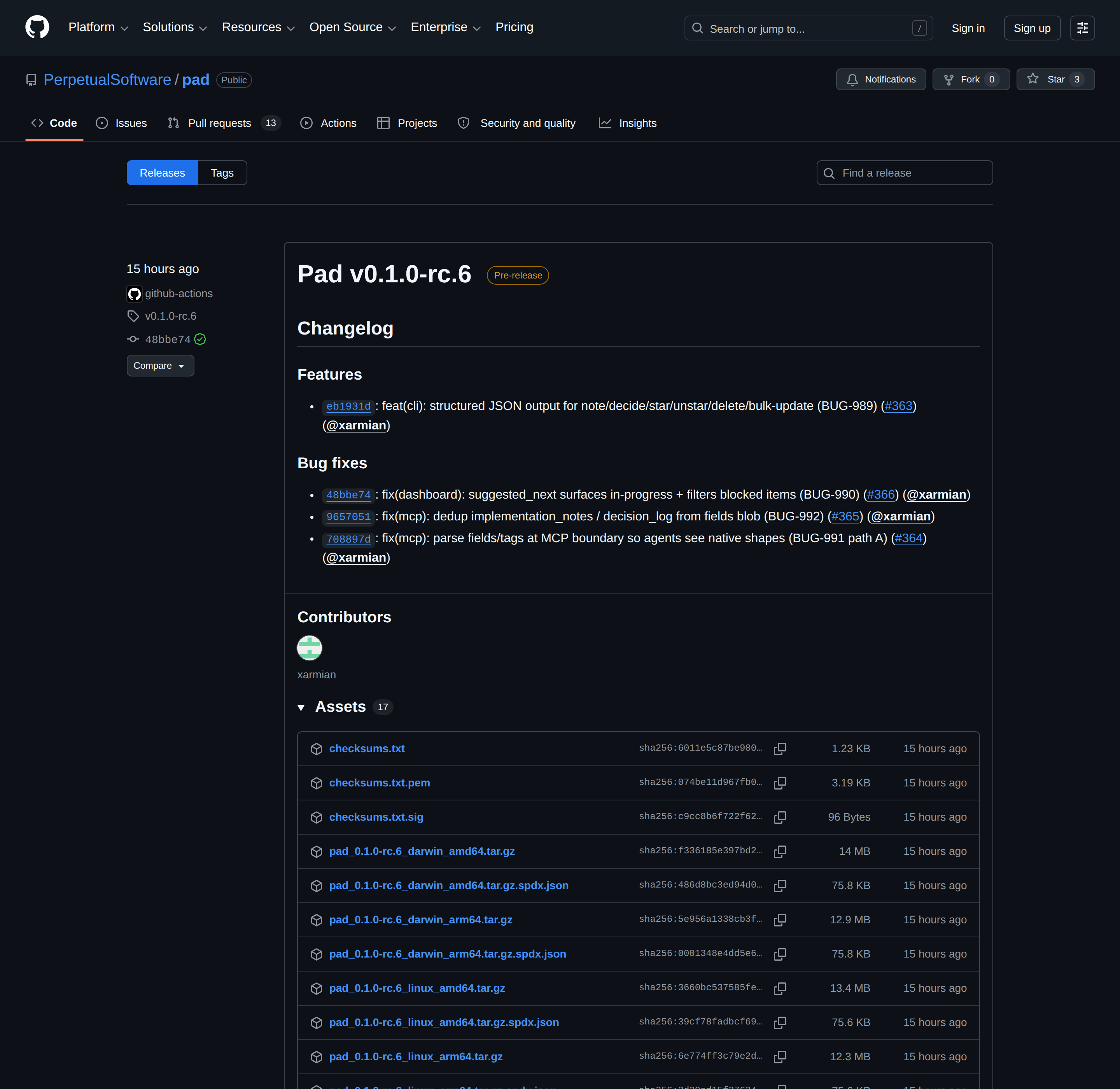
What’s in every release
Every Pad release on GitHub includes:
- Eight signed binary archives —
darwin / linux / windows×amd64 / arm64. macOS builds are Apple Developer ID signed and Apple notarized, so no Gatekeeper warnings on first launch. - SBOMs in SPDX JSON — generated by Syft, one per archive. Lists every Go module compiled into the binary with versions and licenses. A complete bill of materials.
- A cosign signature on
checksums.txt— keyless via Sigstore Fulcio + the Rekor transparency log, using GitHub’s OIDC. No long-lived keys, every signature publicly auditable. - SLSA build provenance — a Sigstore-backed attestation per archive, proving the binary was built by our release workflow from a specific commit on a GitHub-hosted runner.
How to verify a release
Three commands. Run them once, and you know exactly what you’re installing.
# 1. Confirm checksums.txt was signed by our release workflow
cosign verify-blob
  --certificate-identity-regexp "^https://github.com/PerpetualSoftware/pad/.github/workflows/release.yml@.*"
  --certificate-oidc-issuer "https://token.actions.githubusercontent.com"
  --certificate checksums.txt.pem
  --signature checksums.txt.sig
  checksums.txt

# 2. Confirm your downloaded archive matches the trusted checksum
shasum -a 256 -c checksums.txt --ignore-missing

# 3. (Optional) Confirm provenance — that this archive came from this repo
gh attestation verify pad_<version>_<os>_<arch>.tar.gz
  --repo PerpetualSoftware/pad
If all three pass, the binary you just downloaded was built by our public GitHub Actions workflow, from a specific commit in the public Pad repo, and the proof of that build is in a public transparency log. No human hands touched it.
How to install Pad
- macOS:
brew install PerpetualSoftware/tap/pad— signed, notarized, no warnings - Linux / Windows: Tarball or ZIP from the Releases page. Verify with the commands above before running the binary.
- Container:
docker pull ghcr.io/perpetualsoftware/pad— multi-arch image, manifest signed with cosign
Homebrew on Linux is on the roadmap. For now, Linux users pull the tarball directly.
Don’t want to install anything? Pad Cloud is the managed version — sign up free and skip the binary entirely.
Why we did the boring thing
Pad sits next to your code. With the local MCP server, your AI agent shells out to pad commands directly. That trust matters.
So we don’t ship convenience-first and bolt supply-chain hygiene on later. Every artifact we produce traces back to a commit, a workflow run, and a public Sigstore log entry — from day one.
If you’ve ever installed a CLI that asked you to curl | bash, you know the alternative. We picked the harder option because it’s the right one.
Try it:
brew install PerpetualSoftware/tap/pad
pad init
Now go ship something.
